Practical Malware Analysis Chapter 6
Lab 6-1
📝 Summary
The Chapter 6 labs teach you to identify C code constructs in assembly by analyzing a multi-stage malware sample. Each lab reveals one construct (if → loop → switch → complex), building toward full program understanding.
Key Learning Objectives:
- Recognize
if/elsevia conditional jumps (CMP/JZ/JNZ) - Spot loops via backward JMPs and counters
- Identify switch statements via jump tables
- Trace imports using IDA Pro cross-references (XREFs)
🛠️ Toolkit
| Tool | Type | Purpose | Why Essential |
|---|---|---|---|
| IDA Pro / Ghidra | Static | Disassemble/decompile + graphs | Maps control flow, reveals constructs |
| PEview | Static | PE headers/imports | Quick file inspection |
| Detect It Easy | Static | Packer detection | Confirms unpacked sample |
📍 Question 1: Code Construct
What is the major code construct found in the only subroutine called by main?
The main function calls a single subroutine [Figure 1.1].
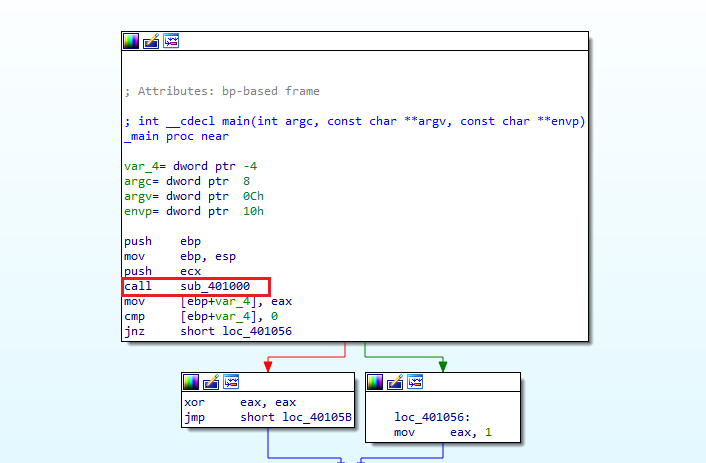 Figure 1.1
Now, let’s look into the subroutine, in Figure 1.2.
Analysis: Dive into the subroutine [Figure 1.2]. Notice InternetGetConnectedState Windows API function → Compare instruction → jump instruction.
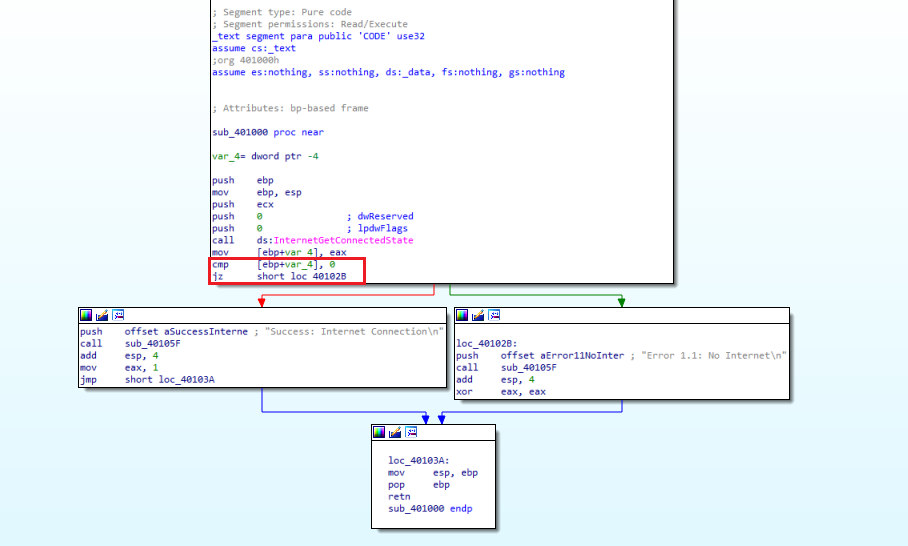 Figure 1.2
We can see that there is a call being made to the function InternetGetConnectedState. The program checks for an internet connection. Moving into this routine we see that there is a compare statement before a JZ jump statement, and by using the graph view we can verify that this is indicative if-statement
📍 Question 2: imports location
What is the subroutine located at 0x40105F?
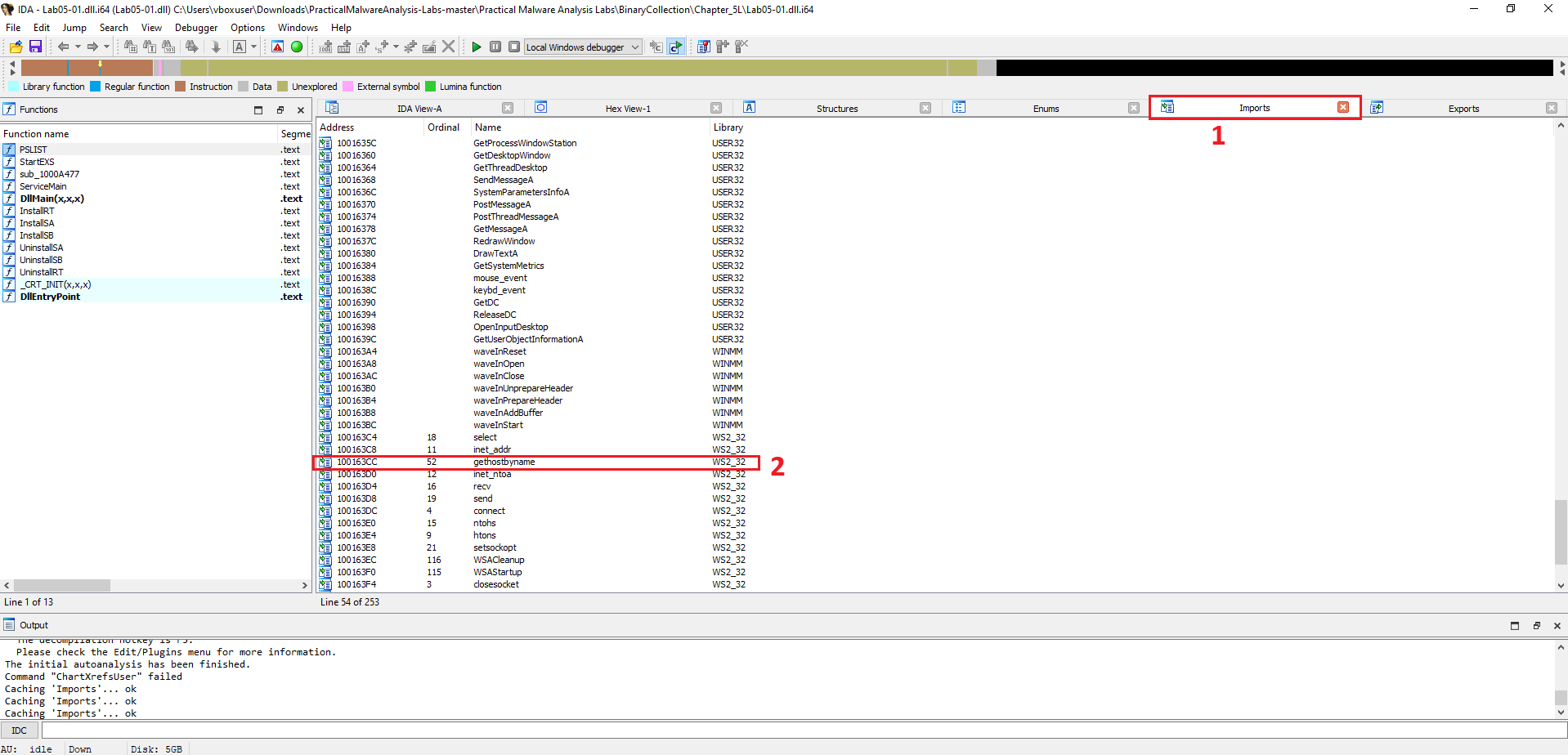 Figure 2
To find out where an imported function is used, you can check its cross-references (often shortened to “xrefs”). This is a powerful feature in IDA Pro that shows every location in the code that refers to a selected function, string, or address.
- Navigate to the Function: Go to the Imports window and click on the gethostbyname function, just as in the previous question.
- Find Cross-References: With gethostbyname selected, press the X key on your keyboard. This opens the “Cross References” window.
- Count the Calls: The window will list every